InnoCaption vs. CaptionCall: A Deeper Look
Compare InnoCaption vs. CaptionCall in this deep dive into captioned calling. See which system fits your needs best. Read the full guide.

If you’ve ever tried to follow a phone call while forcing yourself to catch each word, you know the experience can feel like trying to lip-read a podcast.
That’s exactly why captioned calling exists: to turn spoken phone conversations into readable text fast enough that the conversation keeps moving.
Today, we’re looking into two caption-calling systems: InnoCaption and CaptionCall. They each approach accessibility differently, and understanding this helps explain why they feel so different in use.
We’ll also take a look at Nagish, a newer, AI-driven option that fits into the same ecosystem but follows a completely different approach.
Why Captioned Calling Is More Than “Subtitles for Phone Calls”
The idea is simple: someone speaks → the system turns it into text → you read it in real time. The execution, though, varies dramatically depending on the technology.
Captioning systems generally fall into one of these models:
Human-powered transcription
Skilled stenographers listen live, yet are not always immediately available, and the conversation feels less private.
ASR (Automated Speech Recognition)
A software engine converting speech to text, which is fast, private, and available 24/7, but if the technology isn’t optimal, it can struggle with accents, jargon, crosstalk, or noisy environments.
Hybrid setups
When a system allows switching between human captioners and ASR (and even mixes them).
InnoCaption and CaptionCall are within the FCC-regulated relay world, which traditionally uses human operators. Nagish, however, sidesteps relay systems entirely and uses AI with a privacy-first, intuitive design.
InnoCaption
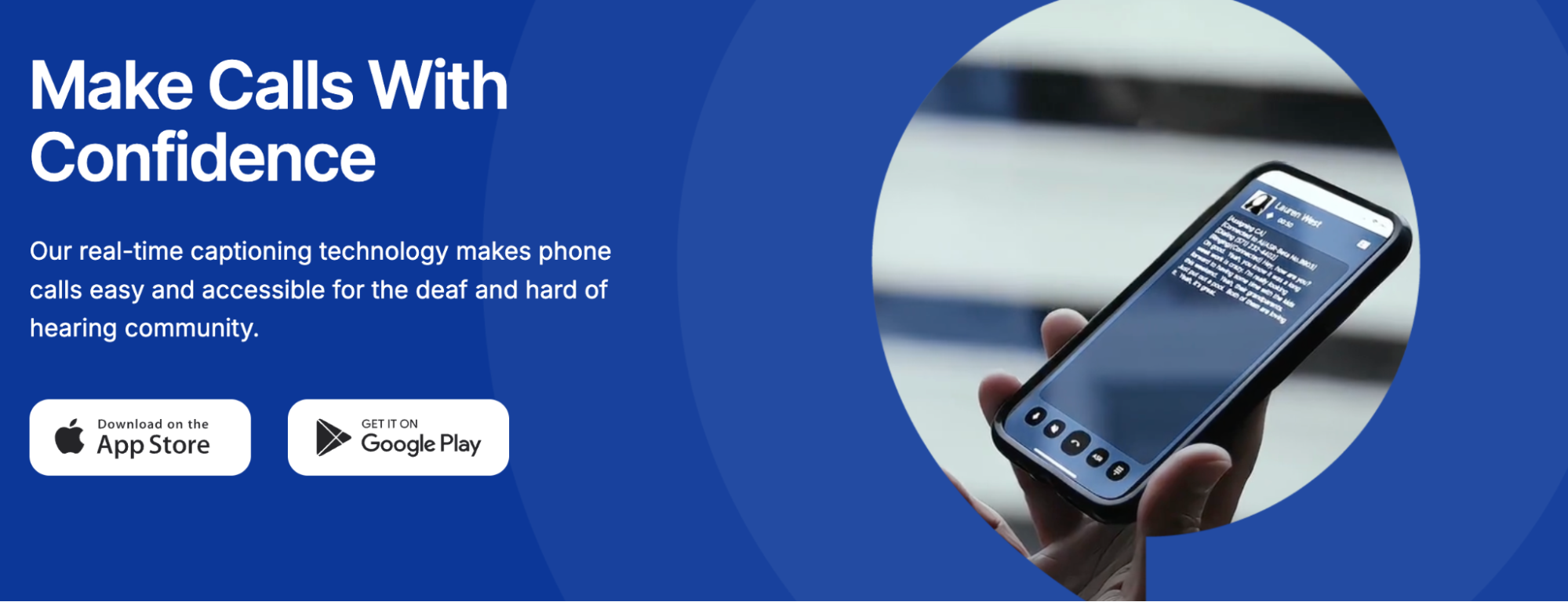
InnoCaption offers real-time captions from human stenographers and ASR-generated captions, and lets the user switch between these modes even mid-call.
How It Works
The app routes the incoming audio through either:
- a professional live captioner, or
- an ASR model running in the cloud
You can choose one, or opt for a hybrid mode where ASR automatically fills in when a stenographer isn’t immediately available.
Where You Use It
The service runs entirely on mobile devices (iOS or Android). You can:
- Make or receive calls within the app
- Keep your existing phone number through call forwarding
- Listen on a separate device (like a desk phone or Bluetooth headset) while captions appear on the phone
This separation of captioning and audio streams is useful in workplaces or when using hearing devices.
Technical Features
- Caption modes: human, ASR, or a mix
- Text-to-speech: type replies if speaking isn’t comfortable
- Voicemail captioning: with optional human re-captioning
- Multilingual support
- Custom caption appearance
- Compatible with many hearing aids and cochlear implants
- No hardware required
Strengths
- Real-time switching preserves accuracy when audio conditions change
- Voicemail recaptioning helps clean up ASR errors
- Entirely mobile, so it works wherever your smartphone works
Trade-Offs
- InnoCaption notes that ASR caption quality depends on clear audio, good connections, and uncomplicated speech and may struggle with poor audio quality, multiple speakers, accents, or unclear speech.
- Human captioners may have wait times during peak hours
- Relay rules limit caption usage to people registered with hearing loss
CaptionCall
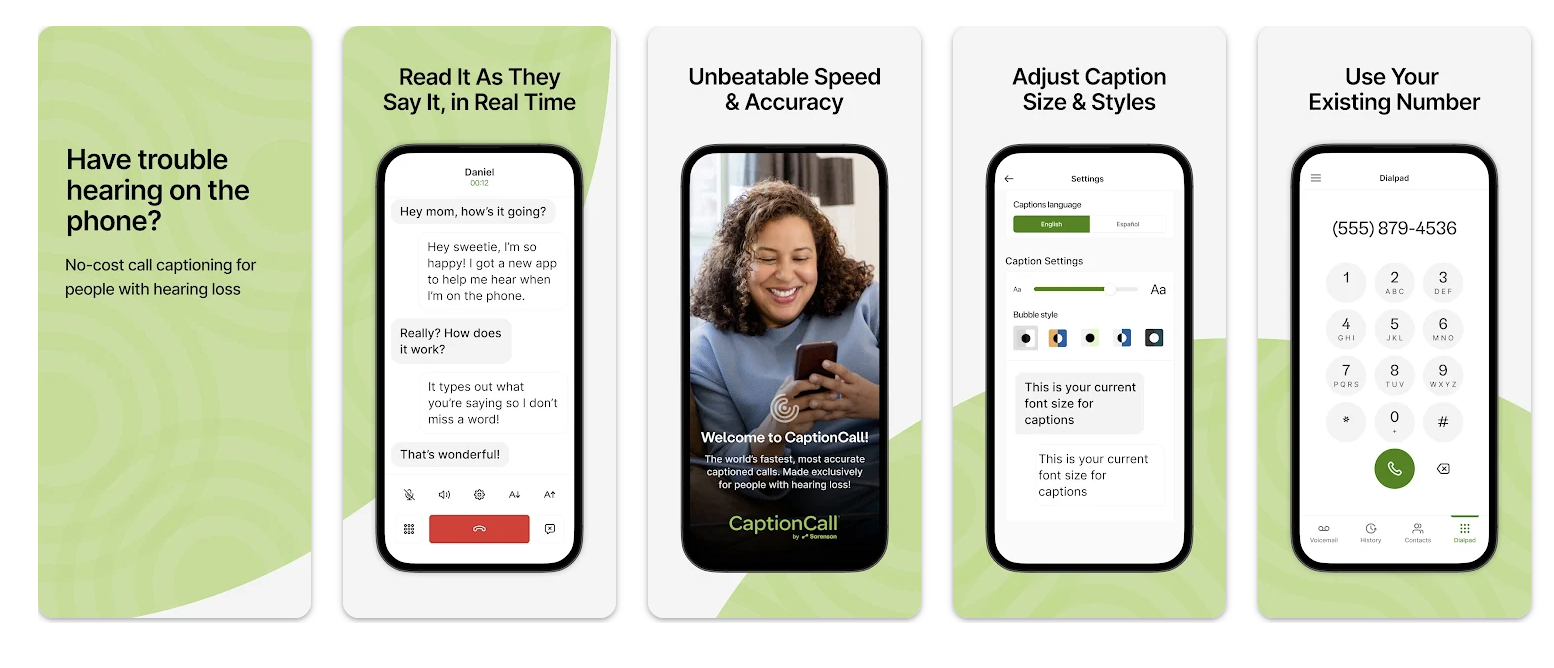
CaptionCall comes from the landline caption-phone world, and its design reflects that heritage. While it now offers a mobile app, the core experience revolves around its caption-enabled home phone device, which includes a large touchscreen for reading captions.
This setup often works well for people who prefer a familiar, at-home calling experience, especially those who feel more comfortable with larger buttons and an easy-to-read screen than with a smartphone interface.
That said, there’s a growing need for captioning solutions that offer more flexibility and mobility. Modern communication habits rarely stay tied to a single device or location, and users increasingly expect technology that adapts to their routines.
This is where mobile-native tools like Nagish stand out. Nagish offers customizable accessibility features, such as adjustable text appearance, light and dark mode, and call-handling options, all built directly into a smartphone app, making it easier to communicate wherever you are.
How It Works
The CaptionCall system sends your call audio to a relay captioning service, which generates real-time text. On the mobile app, this shows up like any captioning interface, but the dedicated landline device gives the service a more traditional “home phone” feel.
The large screen and simple layout can be especially helpful for people who haven’t switched to smartphone-first communication.
Where You Use It
You can use CaptionCall in two different ways:
- On the caption-enabled landline phone
- On the CaptionCall Mobile app (iOS and Android)
The hardware option suits users who prefer large screens, physical buttons, and a stationary setup.
Technical Feature Set
- Large, built-in screen for captions
- Adjustable audio profiles tailored to hearing loss
- Captioned voicemail
- Professional installation for the home device
- Mobile app extending the service outside the house
Strengths
- Dedicated hardware ensures stable performance
- Large screen helps users who prefer non-mobile devices
- Audio controls are more robust on the home phone than on a smartphone
Trade-Offs
- CaptionCall provides dedicated home captioned phones that must be installed at a fixed address (landline or internet connection). Users receive hardware that stays in the home in order to get captioned telephone service
- CaptionCall Mobile is a basic captioning app focused on real-time call captioning — it doesn’t include advanced OS-native calling capabilities, and some users report features like notifications and integration are limited or confusing in reviews.
- Unlike purely app-based systems, CaptionCall involves an installation process (delivery and setup of the hardware phone), which requires scheduling and physical setup
While InnoCaption and CaptionCall were built around relay standards and human operators, Nagish takes a completely different path: AI-only captioning with no human involvement at any stage.
For many users, especially those navigating sensitive conversations or wanting more autonomy, accessibility shouldn’t require an intermediary.
Nagish approaches captioning as a personal, customizable experience that adapts to the user rather than the other way around. And because it’s built as a mobile-first tool, Nagish fits naturally into everyday life. There’s no hardware installation, no switching between devices at home and on the go.
What Makes Nagish Stand Out
- Real-time AI captions only
Speech is converted to text instantly using AI, without relying on human operators.
- No human captioners, 100% private
No third-party listener is ever involved, which is important for users who prioritize confidentiality.
- Transcripts stored locally on the user’s device
Call transcripts live on the user’s device rather than in the cloud, giving users more control over their own data.
- Built-in text-to-speech for users who prefer typing
Users who prefer typing instead of speaking can have their typed messages voiced to the caller during the conversation.
- Personal dictionary
Users can add names, technical vocabulary, and uncommon phrases to improve AI accuracy over time.
- No hardware or relay requirements
Everything happens within the app; no installation, home phone device, or relay setup needed.
- Bluetooth Connectivity
Because Nagish works directly through the smartphone, users can route audio through Bluetooth devices, hearing aids, or cochlear implants that support standard phone audio routing. This allows users to listen through their preferred hearing technology while reading captions in real time.

Why Most Users Prefer This Approach
- Greater privacy
- Quick setup and seamless integration
- Designed for people who communicate primarily via smartphone
- No dependency on operator availability
At the end of the day, most of us live on our phones. We text, email, bank, shop, schedule, and connect through a single device that’s always with us.
Nagish fits naturally into that reality. Its AI-only design means you don’t need hardware, operator availability, or a landline setup to get reliable captions, just your smartphone and the settings you prefer.
According to Pew Research Center, about 90% of U.S. adults now own a smartphone, and since most people already communicate primarily through their mobile devices so accessibility solutions that live on the phone tend to match real-world habits. Nagish leans directly into that trend with a flexible, private, mobile-first design.
For anyone who values mobility, privacy, and personalization, whether you make calls all day or just once a week, Nagish offers a modern captioning experience built around how people actually communicate today.


Copywriter based in Miami, FL. Leads copywriting workshops and mentors women entrepreneurs at the Idea Center of Miami Dade College.