Google Live Transcribe vs. Apple Live Captions
Google Live Transcribe vs Apple Live Captions: compare accuracy, call support, and real-time captioning features to see which accessibility tool works best.

For millions of Deaf and hard-of-hearing individuals, captions can be the difference between being included in the conversation or being shut out entirely. And as more people rely on captions not just for convenience but for access, the experience needs to be reliable.
That’s why Google Live Transcribe and Apple Live Captions are built right into the phones of billions of people. Here’s a clear look at what each option brings to the table.
But before we jump in, for this guide, we didn’t just read app store blurbs.
We:
- Read official documentation from Google and Apple on how Live Transcribe and Live Captions work, where they’re available, and which limitations they carry.
- Looked at user reviews and blog posts written by people who rely on captions daily.
- Reviewed other solutions, like Nagish, including its FCC certifications (IP CTS, IP Relay), privacy model, and core features.
How we evaluated these tools
Features
- What types of audio they caption (in-person speech, calls, media).
- Whether they detect environmental sounds.
Reliability
- Common bugs, lag, failures during screen sharing, and accuracy drops in noisy settings.
Accessibility
- Device and OS requirements.
- Availability by region and language.
Privacy model
- Whether captions are processed locally or in the cloud.
- Whether humans are involved (interpreters, relay agents).
User reviews over time
- Patterns in praise and complaints, not isolated comments.
Regulatory considerations
Whether the tool is FCC-certified for captioned calling.
Google Live Transcribe Review
Platform: Android
Price: Free
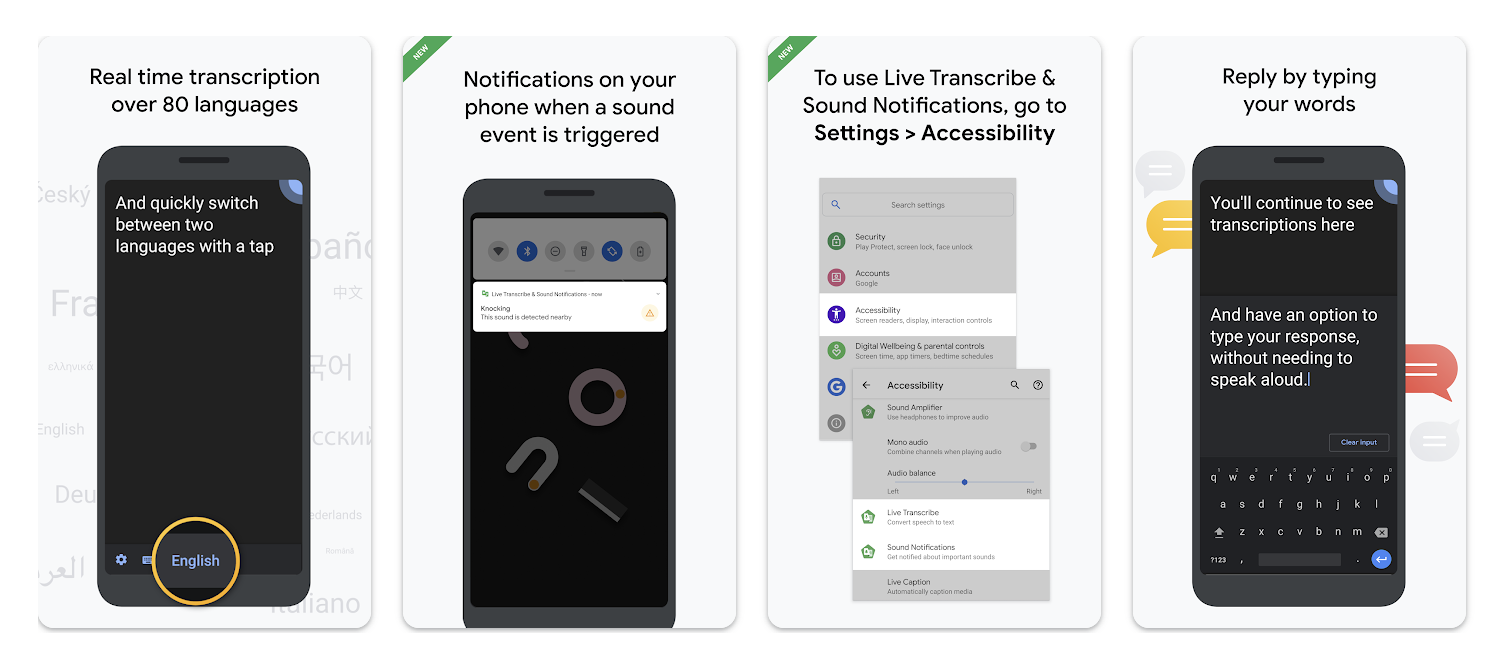
Google Live Transcribe is one of the earliest mainstream tools for turning speech into real-time text on Android. It uses your phone’s microphone to provide live captions of conversations and alerts for key environmental sounds such as alarms or doorbells.
It supports dozens of languages, offers quick language switching, and can save a few days of transcripts for short-term review.
Where it works well
Live Transcribe excels in real-time, in-person situations like appointments, classrooms, cafés, especially when the environment is moderately quiet.
Reviewers frequently praise its speed and simplicity. Sound Notifications add an important layer of awareness for users who may miss alarms or other alerts.
Where it falls short
- Live Transcribe can’t integrate with your phone’s dialer or number. For captioned calls, you still need another solution.
- User reviews note that accuracy can fall significantly in real-world conditions (overlapping voices, accents, background noise).
- Only keeps saved transcripts on your device for a limited time (up to three days) and they’re automatically deleted after that unless you export or copy them elsewhere.
Live Transcribe is a free option for in-person use on Android. But because it doesn’t support phone calls and offers limited transcript storage, many Deaf and hard-of-hearing users pair it with another tool for high-stakes communication.
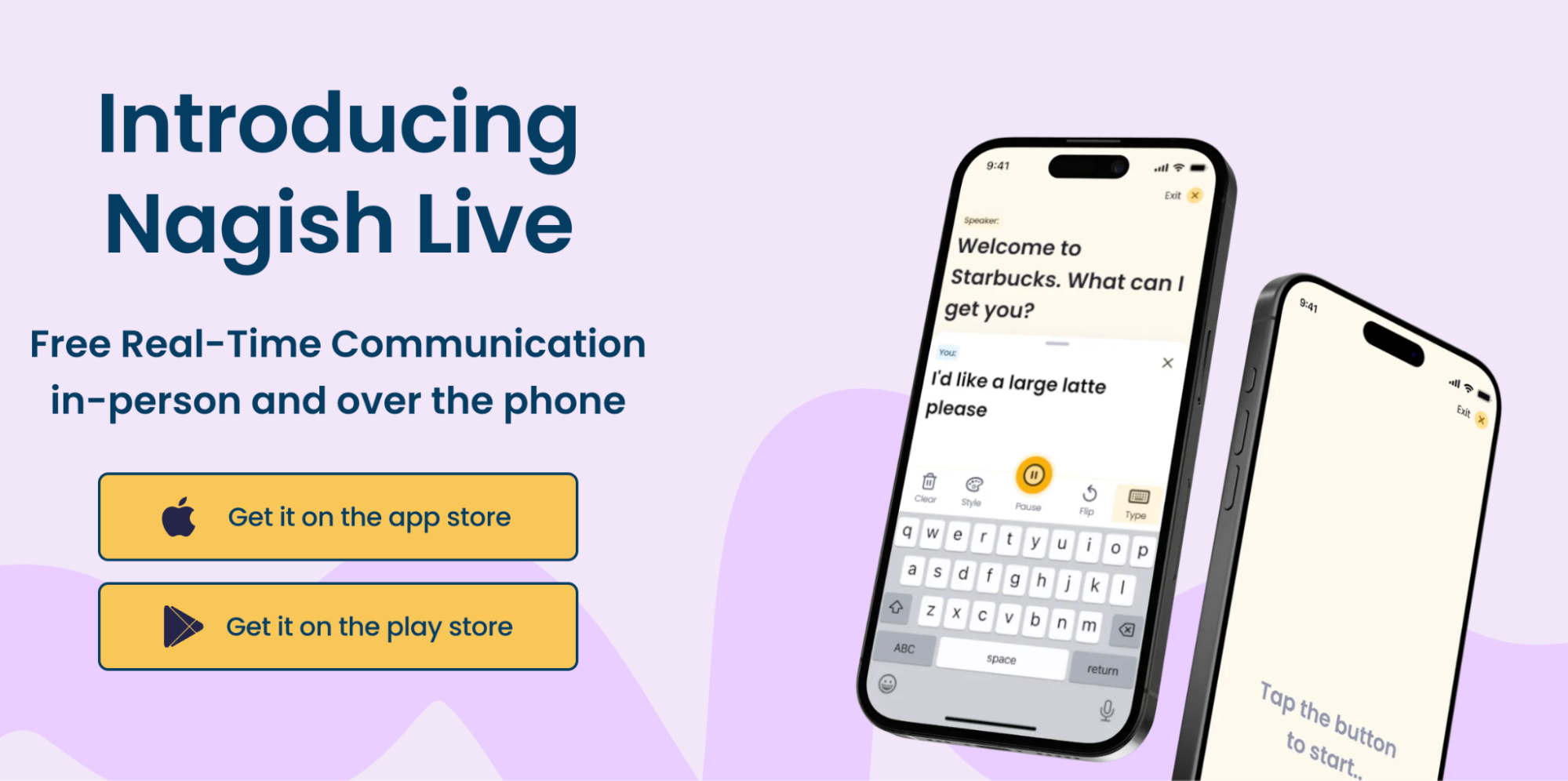
This is where Nagish becomes useful since it provides captioned phone calls (using your existing number), saved call transcripts, and live in-person transcription in a single app. Instead of juggling one tool for conversations and another for calls, Nagish gives you an all-in-one communication setup designed specifically with Deaf and hard-of-hearing users in mind.
Apple Live Captions Review

Platform: Apple
Price: Included with the OS
Apple Live Captions provides captions for nearly any audio source: in-person speech, FaceTime, streaming video, podcasts, and many phone calls. It appears as a movable caption box and offers basic customization for font and size.
Where it works well
- Captions audio across apps without needing separate tools.
- Integrated into iOS and macOS for convenience.
- Helpful for things like FaceTime chats, videos, and shorter calls.
Where it falls short
- Live Captions is restricted to newer devices and not available in all countries or languages. If you’re on an older iPhone or an Intel-based Mac, you may not have access at all.
- Apple notes that accuracy can vary and should not be relied on in high-risk or emergency situations.
- Some users experience captions disappearing, freezing, or failing during screen sharing or long calls.
- Technical limitations in real-time speech-to-text mean captions can lag behind live audio, particularly in longer calls or streams.
- Reviewers have observed that Live Captions can disappear when screen sharing or in other contexts with no feedback or indication.
Live Captions is helpful, but the combination of device restrictions and occasional reliability issues means many Deaf and hard of hearing users still look for a more dependable solution.
While Google Live Transcribe and Apple Live Captions each offer communication access, Nagish fills the gaps they leave, particularly around phone calls. Available on iOS and Android and free to use, Nagish is built specifically for people who are Deaf or hard of hearing, with a focus on real-time captioned phone calls and live transcription for in-person conversations.
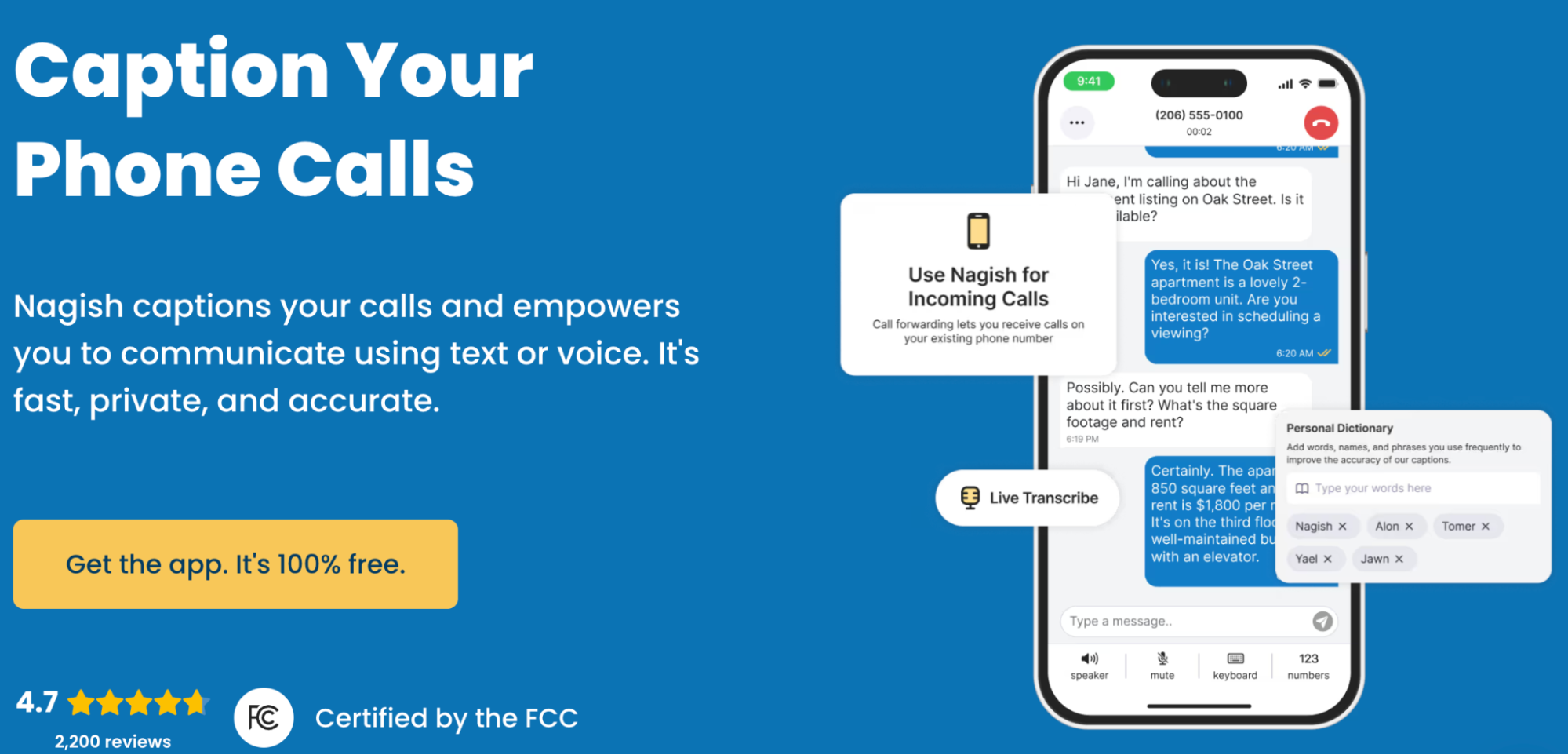
Unlike Live Transcribe, which doesn’t support calling, or Apple Live Captions which treats calls as just another audio source and comes with device and reliability limitations, Nagish is structured around the call itself.
You can link your existing phone number, place and receive captioned calls, and read or type responses in real time as its AI converts speech to text and text to speech.
Nagish is FCC-certified and also takes a privacy-first approach without human operators with calls handled entirely by AI and transcripts stored locally on the device.
Additional features like saved transcripts, custom dictionaries, spam filtering, and bluetooth support for hearing aids and cochlear implants further tailor the experience to Deaf and hard-of-hearing users.
Conclusion
In everyday use, Apple Live Captions is a convenient choice for captioning media and audio on supported Apple devices, offering on-screen captions for podcasts, videos, and FaceTime with little setup.
Google Live Transcribe is used for in-person conversations on Android, ideal for quick chats in appointments, classrooms, or public settings, especially when you don’t need long-term transcript storage.
But when the situation involves a phone call, whether with a doctor, an employer, or a family member, both built-in tools show their limits. Live Transcribe can’t integrate with calls at all, and Live Captions, while capable on supported devices, comes with occasional issues around accuracy, reliability or availability.
This is where Nagish stands apart: it provides FCC-certified captioned calling, locally stored call transcripts, privacy-focused AI (with no human operators), and an interface designed specifically around Deaf and hard-of-hearing communication needs.
With Nagish Live also available for in-person conversations, it becomes a complementary option that fills the communication gaps Apple and Google leave, especially for calls and important day-to-day interactions where reliability and clarity matter most.


Copywriter based in Miami, FL. Leads copywriting workshops and mentors women entrepreneurs at the Idea Center of Miami Dade College.