The Best Caption Call Apps to Use in 2026
We reviewed the leading caption call apps of 2026, comparing accuracy, reliability, and real-world performance across today’s most widely used phone captioning services. Take a look!


Captioned calling has come a long way. In 2026, there are more apps, better accuracy, and more mobile-first experiences than ever.
But more options don’t always make things easier. They often make choosing harder.
We know you don’t want to download five apps, toggle between them, and figure it out mid-call.
So we did the testing for you.
We reviewed accuracy, reliability, and real user feedback to evaluate caption call apps being used right now.
How we tested them
To create this list, we reviewed:
- App Store and Google Play reviews
- Third-party customer review platforms
- Community discussions (including forums and Reddit-style threads)
- FCC and IP CTS documentation
Below is our breakdown of the best caption call apps in 2026.
The Best Caption Call Apps in 2026
1) Nagish
Why we included it
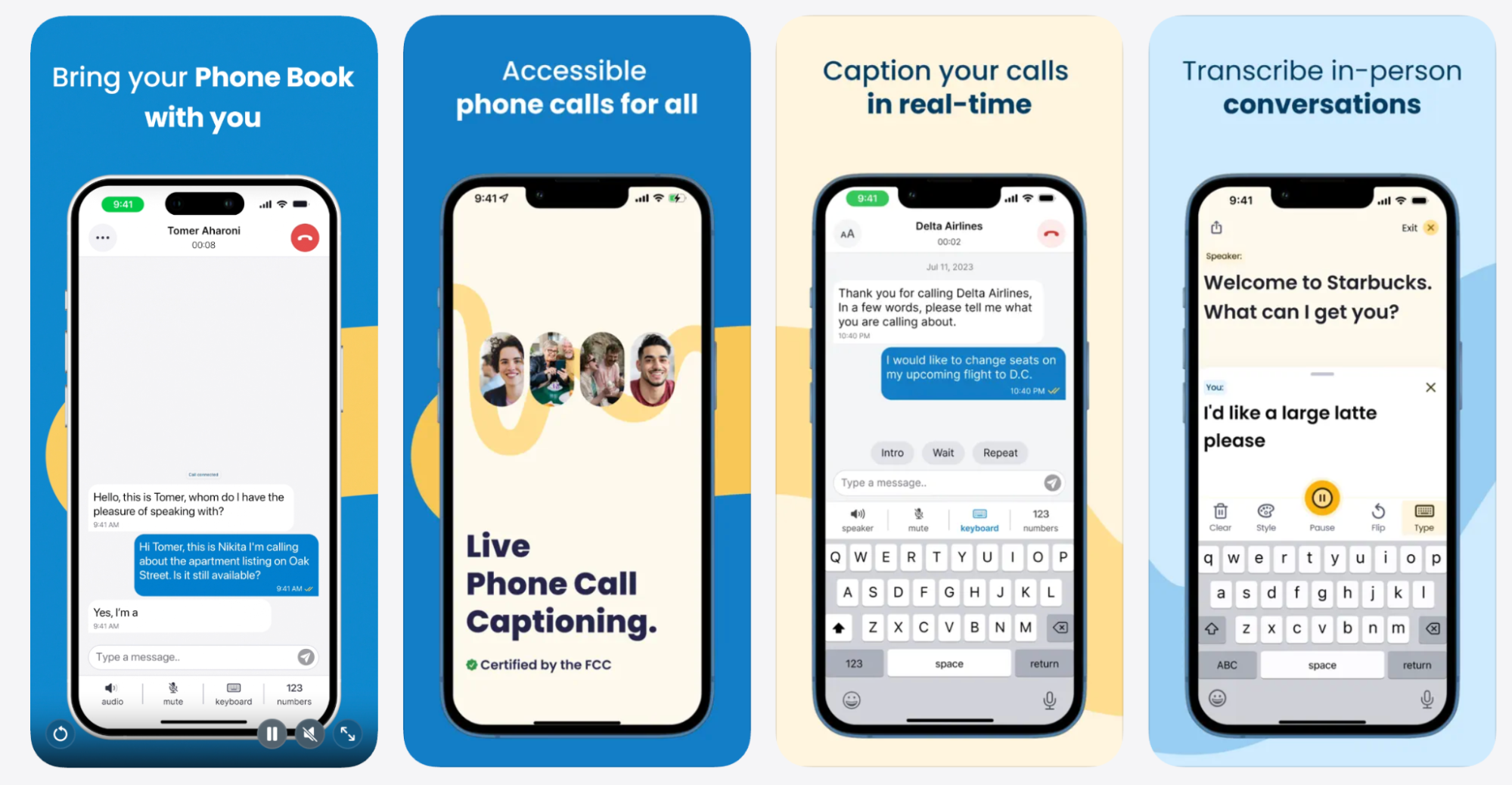
Nagish consistently stands out for making captioned phone calls feel as close to a native calling experience as possible. The app emphasizes ease of use, strong privacy practices, and the ability to keep an existing phone number—a meaningful advantage for work, healthcare, and everyday communication.
Nagish is FCC-certified, operating under federal standards for captioned calling and designed to support real, day-to-day conversations. The experience feels intentional and modern, rather than layered on top of older systems.
Beyond phone calls, Nagish also includes Nagish Live as part of its service, offered at no additional cost. Nagish Live provides real-time captions for in-person conversations, extending accessibility beyond the phone and into face-to-face interactions.
Nagish has also built strong visibility within the Deaf community. The company has collaborated closely with Deaf advocates and community leaders and has supported Deaf athletes, including Deaf basketball teams competing at the Olympic level. That involvement reflects a company philosophy rooted in community participation, not just product development.
Across both the Apple App Store and Google Play, Nagish maintains strong, consistent reviews, with users frequently highlighting reliability, clarity, and how quickly the app becomes part of everyday routines.
Best features
- FCC-certified
- Works with your existing phone number
- Native dialer-style experience that feels familiar
- Nagish Live for real-time captions during in-person conversations
- Personal dictionary to improve accuracy for names and custom terms
- Call transcripts available after the call and 100% private
Nagish is perfect for people who want private captioned calls that feel natural, reliable, and fully integrated into how they already communicate without switching numbers or juggling multiple tools.
2) InnoCaption
Why we included it
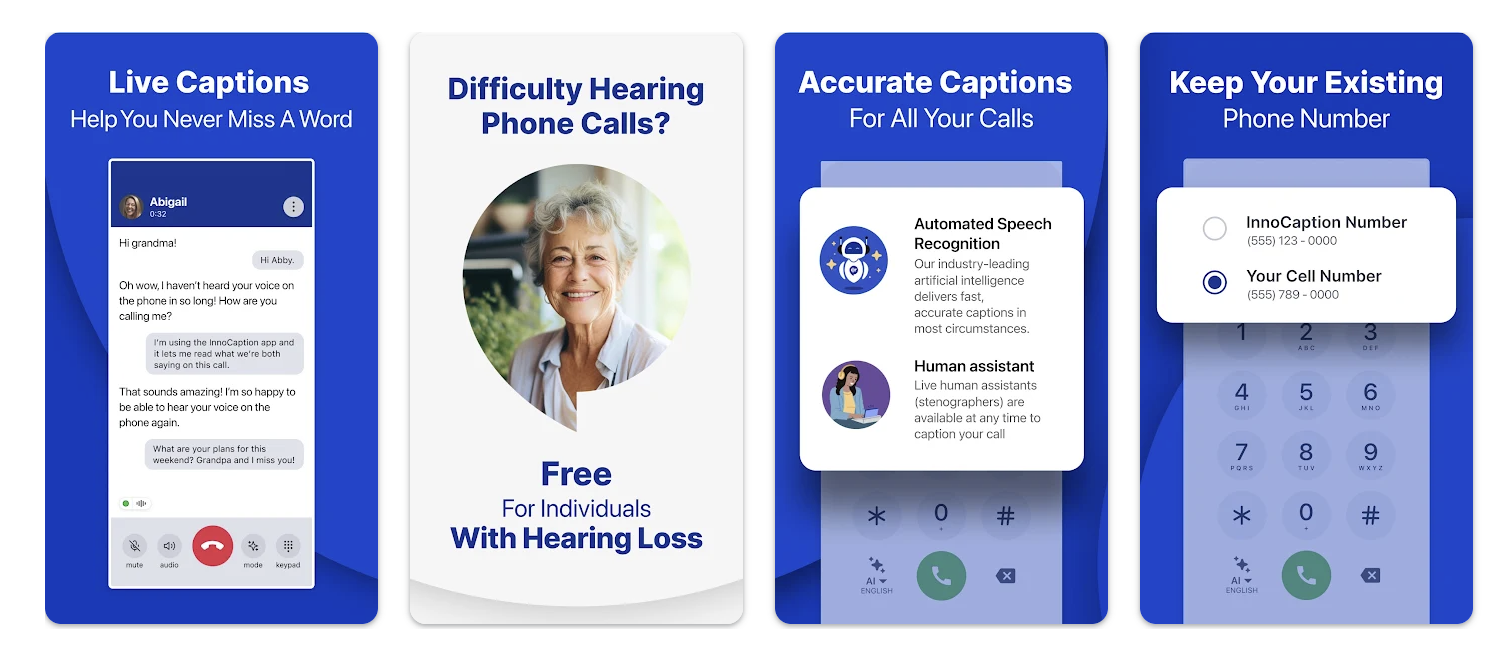
InnoCaption is a captioned calling app that offers users a choice between automated captions and live stenographers. This dual approach allows users to adjust how captions are generated depending on the call.
The app has been active in the captioned calling space for several years. At the same time, the experience can feel more structured than fully native. Call routing, setup steps, and switching caption modes may require more user involvement, especially for those looking for a simpler, dial-and-go experience.
Key features
- Option to switch between live captioners and automated captions
- One-number call forwarding system
- Designed to support caption accuracy during complex conversations
- FCC approved
Considerations
- Setup and call routing may feel less seamless than a native dialer
- Live captioning availability can vary based on call timing and demand
3) CaptionCall Mobile

Why we included it
CaptionCall Mobile is the mobile offering from a long-standing captioned calling provider. The app reflects the company’s experience in the space.
It delivers real-time captions on mobile devices. However, the interface and overall experience may feel more traditional compared to newer apps.
Some users report that it does not always feel as tightly integrated with their phone’s native calling experience. For example, several Apple App Store reviews describe situations where outgoing or incoming calls did not switch into CaptionCall, so captions never appeared, even when the app was open.
Key features
- Real-time captioning on mobile
- FCC approved
Considerations
- User experience may feel less modern than newer mobile-first apps
- Feature parity can vary between platforms
4) Hamilton Mobile CapTel
Why we included it
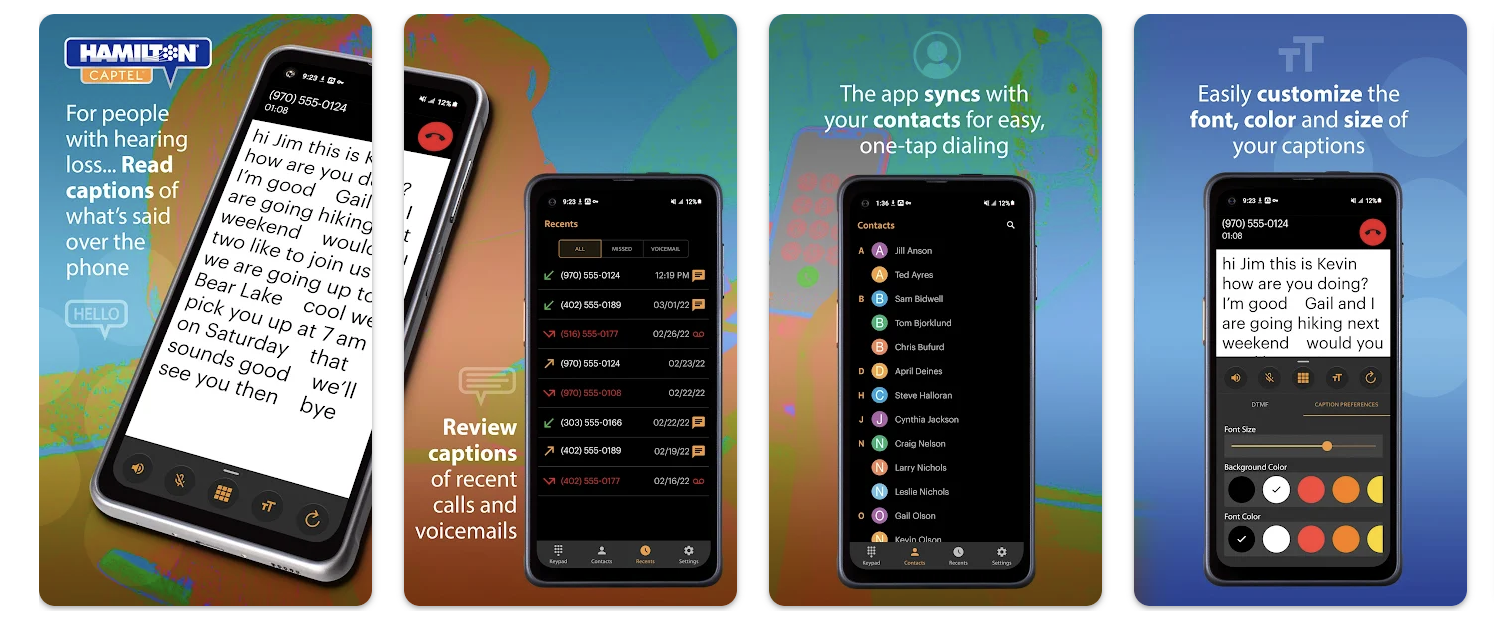
Hamilton Mobile CapTel focuses heavily on customization. Users can adjust caption appearance, choose captioning modes, and view captions in a web browser for larger-screen reading.
These options make it flexible in controlled environments, such as at home or at a desk. User feedback, however, points to inconsistencies in call connectivity, particularly with Bluetooth devices and in-car systems. On Google Play, Hamilton Mobile CapTel shows 3.0 stars with over 1K downloads and reviews as of late 2025.
As a result, the experience can depend heavily on device setup and environment.
Key features
- Auto or assisted captioning options
- Font, color, and display customization
- Browser-based caption viewing
- Captioned voicemail and call history
Considerations
- Reliability can vary depending on device, Bluetooth, and network conditions
- May require more setup and troubleshooting for consistent use
5) ClearCaptions Mobile

Why we included it
ClearCaptions Mobile has a clear focus on providing basic mobile captioned calling.
However, reviews reflect mixed experiences around reliability, customer support, and long-term consistency. While it works well for some users, others report challenges that affect daily use.
As of January 2026, ClearCaptions has an average of 1.63/5 stars from actual customer reviews, with multiple recent 1-star reviews mentioning technical frustrations and challenges connecting to the service. On Trustpilot, their profile reflects generally low scores (around 2.1/5 stars) as of January 2026, indicating a range of user experiences with service and support
We included ClearCaptions to reflect the range of real-world experiences reported in captioned calling. While some users rely on it successfully, others report challenges that affect daily use. That variability is part of this category, and acknowledging it helps paint a more accurate picture of how captioned calling works in practice.
Key features
- Mobile captioned calling
- Straightforward feature set focused on core functionality
Considerations
- Reliability and service consistency vary across users
- Fewer advanced or modern features compared to newer apps
6) Rogervoice
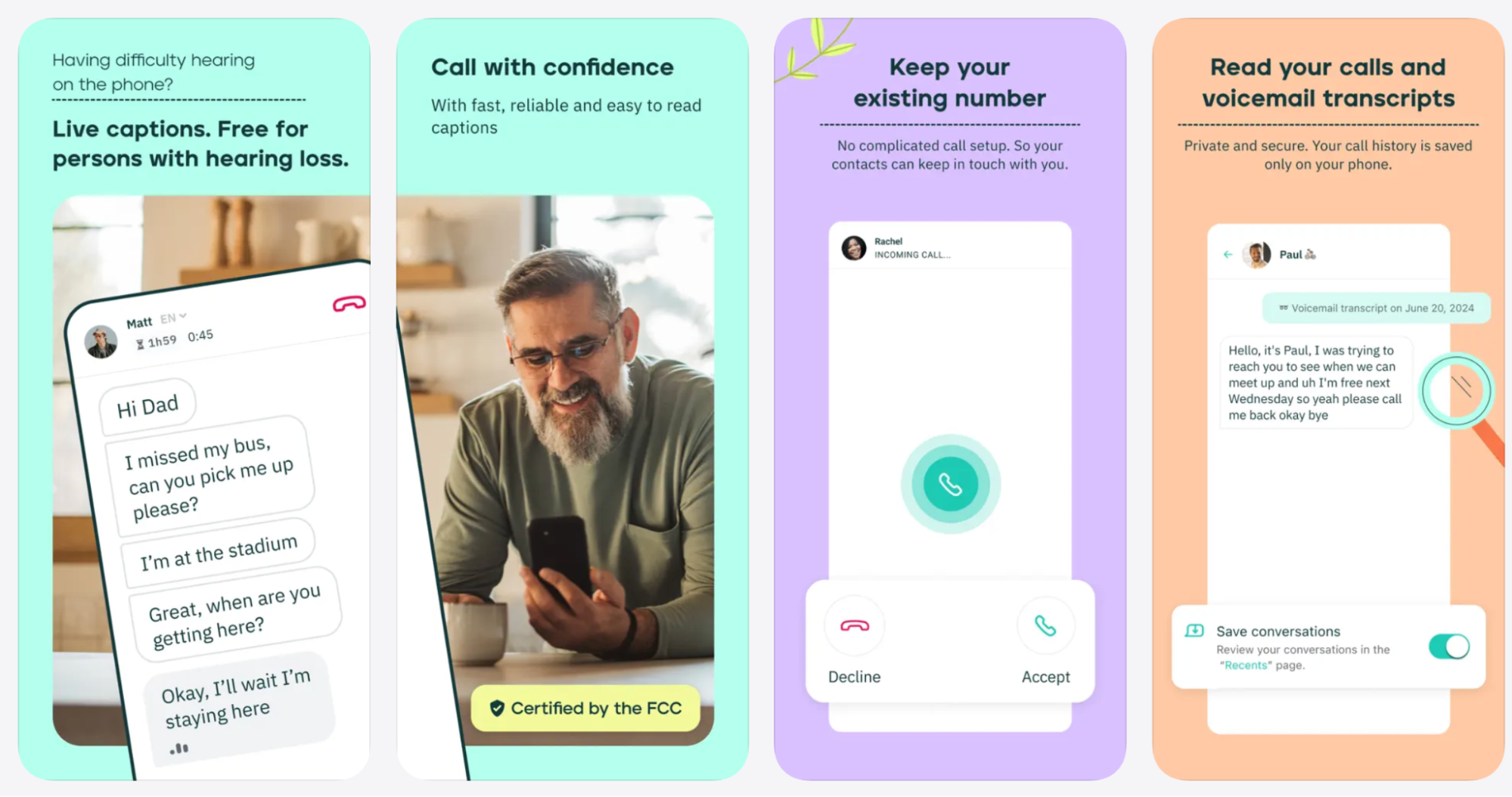
Rogervoice represents a different approach to call captioning compared to traditional U.S. IP CTS services. It focuses on multilingual support and app-to-app captioned calling, which can be relevant in cross-language or international communication scenarios.
Rogervoice is currently operating under conditional FCC certification to provide Internet Protocol Captioned Telephone Service (IP CTS). This means it is authorized to offer captioned calling under federal rules while the FCC continues its review toward full certification.
Because Rogervoice approaches captioning differently and, in some cases, relies on app-to-app functionality, its usefulness can depend on how the app is used and who is participating in the call. In certain scenarios, both parties may need to use the app to access its full set of features.
Key features
- Multilingual call captioning
- Two-sided captions in app-to-app calls
- Privacy-focused messaging around transcript handling
Considerations
- Operates under conditional FCC certification
- Not structured around a traditional, fully native phone dialer experience
- Full functionality may require both parties to use the app
What Is a Caption Call App?
Before comparing features and platforms, it helps to step back and clarify what captioned calling actually is and how these apps differ from other accessibility tools that may look similar on the surface.
A caption call app provides real-time text captions for phone calls, allowing users to read what the other person is saying while the call is happening.
These apps are commonly used by people who are Deaf, hard of hearing, or anyone who benefits from visual support during phone conversations, especially in noisy environments or during important calls.
Most caption call apps in the U.S. operate under the FCC’s Internet Protocol Captioned Telephone Service (IP CTS) program. IP CTS uses advanced speech recognition technology and, in some cases, human-assisted captioning to convert spoken audio into near real-time text.
Because these services are federally regulated, FCC-certified apps must meet strict requirements around accuracy, reliability, and user privacy.
It’s also important to distinguish captioned calling from live transcription apps. Caption call apps are designed specifically for phone calls and often integrate directly with your phone’s dialer and phone number.
Live transcription apps, on the other hand, focus on in-person conversations, meetings, or lectures. Some modern platforms, like Nagish, combine both, offering FCC-certified captioned phone calls alongside real-time transcription for face-to-face conversations in a single app.
How To Choose The Right Caption Call App
Now that you know what caption call apps are, these questions can help you decide which caption call app is most aligned with how you communicate:
1. Do you want calling to feel native, just like your standard phone app?
If your top priority is an experience that feels like your regular phone, with minimal setup and your own phone number, look for apps like Nagish that focus on an integrated calling experience.
2. Do you need strong accuracy for complex or important conversations?
Some apps let you choose between automated captions and human-assisted captioning. If your calls often involve insurance, doctors, legal, or detailed information, an app with accuracy options can give you more control. If you value accuracy and privacy at the same time, then Nagish is a solid pick.
3. Is Android support essential?
Certain apps come from long-standing providers with wide compatibility across devices. If you use Android or switch between devices, consider apps built with broad platform support in mind.
4. Do you want flexibility in how captions look or where you read them?
Some apps offer deeper customization of caption appearance and the ability to view captions on larger screens. That can be useful if you read captions frequently or in varied lighting and environments.
5. Do you want a simple, straightforward captioned calling experience?
Some apps emphasize core captioning with minimal extra features. For users who simply want readable captions without advanced options, straightforward solutions can be worth trying, even if they lack extensive customization.
6. Do you want extra perks like live transcription for in-person conversations?
Some caption call apps include additional tools for live in-person transcription. For example, Nagish Live provides real-time text in face-to-face discussions. If you want both phone and in-person support from one app, that is a useful perk to consider.
Frequently Asked Questions About Caption Call Apps
Are caption call apps free?
Most FCC-certified caption call apps are free for eligible users in the U.S. because they are funded through the FCC’s Internet Protocol Captioned Telephone Service (IP CTS) program. Apps like Nagish provide this service at no cost while still offering a modern, mobile-first experience.
Are caption call apps regulated or monitored?
Yes. FCC-certified caption call apps must meet strict federal standards around accuracy, privacy, and accessibility. Nagish operates as a fully FCC-certified provider, while some other apps may operate under conditional certification during review periods.
Can I keep my existing phone number?
Not all caption call apps support this. Some rely on call forwarding or alternate numbers. Nagish allows you to keep your existing phone number, which is especially important for work calls, healthcare, and personal contacts.
Do caption call apps work with hearing aids?
Yes. Caption call apps work independently of hearing aids by displaying captions visually on your screen. Apps like Nagish are designed to work seamlessly alongside Bluetooth hearing aids without interfering with audio connections.
What’s the difference between caption call apps and live transcription apps?
Caption call apps focus on phone calls, while live transcription apps are built for in-person conversations. Nagish uniquely offers captioned phone calls and live, in-person transcription within the same app, eliminating the need to switch tools.
Are captioned phone calls private?
Privacy policies vary by provider. FCC-certified services must follow federal guidelines, but transcript handling differs between apps. Nagish emphasizes privacy-first design, with call transcripts that remain private and accessible only to the user.
Do both people on the call need the app?
With most traditional caption call apps, only the caption user needs the app. Nagish works with regular phone calls, so the person on the other end doesn’t need to download anything or change how they call you.
Are caption call apps only for seniors?
No. While captioned calling has historically been associated with seniors, Nagish is widely used by professionals, Deaf users, and people of all ages who want reliable captions for everyday, work, and medical conversations.


Copywriter based in Miami, FL. Leads copywriting workshops and mentors women entrepreneurs at the Idea Center of Miami Dade College.