Apple Live Caption vs. Ava
Apple Live Captions vs Ava: compare real-time captioning accuracy, call support, and accessibility features to see which tool works best for conversations.

Live captioning tools have improved a lot in recent years, but “available” doesn’t always mean “reliable,” and “popular” doesn’t always mean “good enough.”
Apple Live Captions and Ava are often mentioned in accessibility conversations, yet both come with tradeoffs that limit how useful they are in real-world, everyday communication.
Here’s a look at where each tool struggles, and why Nagish, a reliable solution, delivers a more complete experience for people who actually rely on captions to communicate.
This comparison looks at how each performs in practical, real-world scenarios, with particular attention to accuracy, ease of use, and suitability for ongoing communication needs.
Apple Live Captions

Apple Live Captions is built directly into supported Apple devices, which makes it easy to turn on and try. There’s no app to download and no setup process to learn, which is a clear advantage for people who only need captions occasionally.
In practice, Apple Live Captions tends to work best for short or passive situations, like watching videos or catching parts of a call. Accuracy can be hit or miss, especially in noisy environments or longer conversations. Since there’s no speaker labeling, saved transcripts, or a way to interact, conversations can become hard to follow fairly quickly.
For many users, Apple Live Captions feels more like a helpful backup than something you’d rely on every day.
Where it struggles
- Unreliable accuracy, especially in real conversations or noisy environments. A third-party review reports that captions can fail or become inaccurate in real usage, especially with background noise or unclear audio.
- No speaker identification, so group conversations quickly become confusing
- No transcript saving, sharing, or conversation history
- English-only, with limited customization
- No way for the user to participate in the conversation — captions are strictly passive
Bottom line:
Apple Live Captions is useful for catching a line or two in a video, but not for conversations that matter.
Ava
Ava is a dedicated captioning app designed for meetings, group conversations, and classroom-style settings. It offers features like speaker labeling and conversation transcripts, which can be helpful in structured discussions.
However, Ava is not fully free. While a limited version is available, extended usage and key features require a paid plan. This can be an important consideration for users who depend on captions throughout the day.
In everyday use, Ava performs best when conversations are planned and audio conditions are controlled. In more casual or spontaneous conversations, accuracy can drop, and setup can feel like an extra step. For some users, the combination of setup friction and pricing may limit long-term usability.
Where it struggles
- According to user reviews, accuracy can drop quickly outside ideal conditions
- Requires everyone to speak clearly and stay “on mic”
- Not instant or seamless in spontaneous conversations
- Advanced features are locked behind paid tiers
- Still feels more like a meeting tool than a communication companion
Bottom line:
Ava works best when conversations are structured and predictable. In casual, fast-moving, or emotional conversations, it often falls behind, exactly when captions matter most.
Nagish
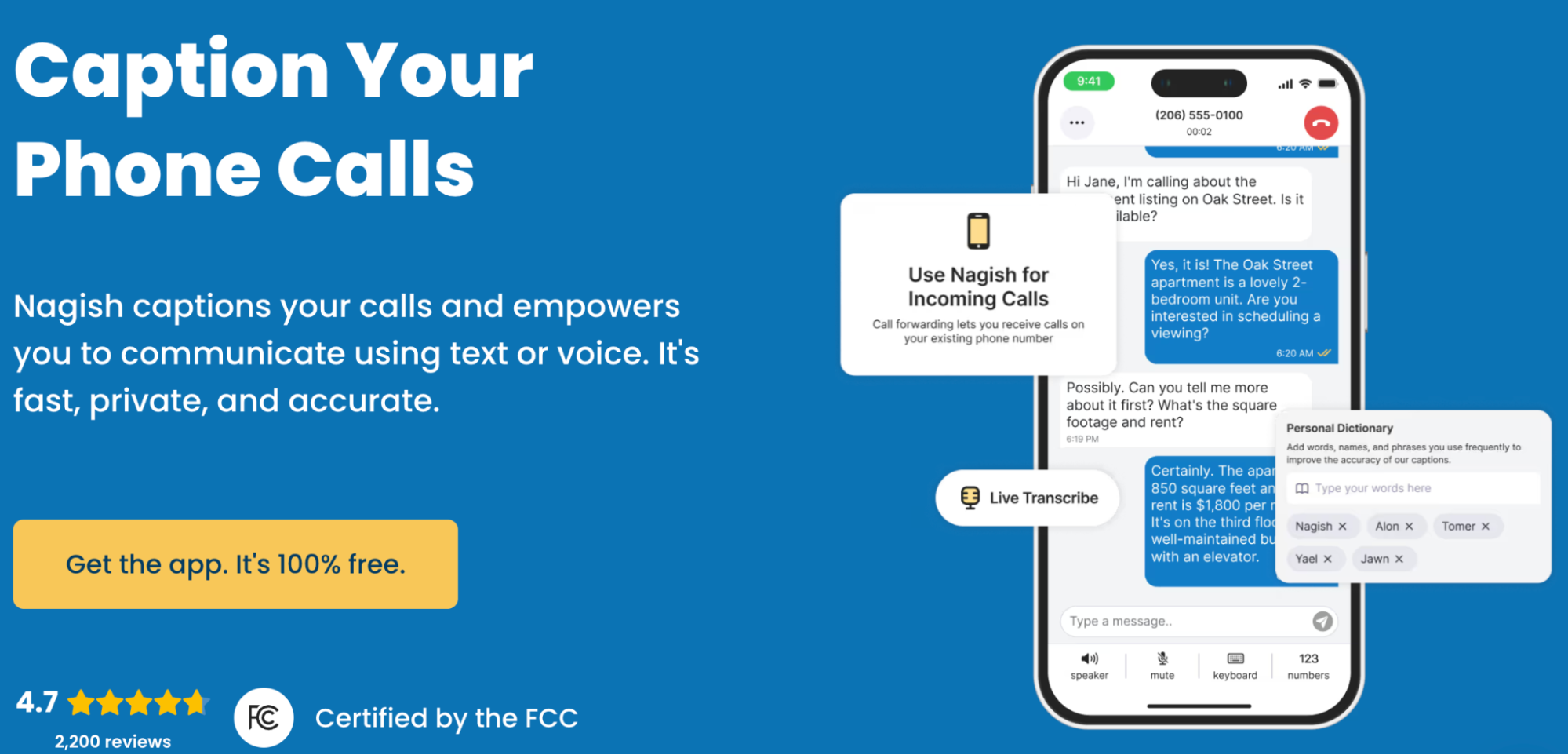
Nagish is best known for its focus on making phone calls accessible, offering real-time captions designed for everyday conversations like medical appointments, work calls, or customer service interactions. For eligible users, Nagish’s phone call captioning is available at no cost through FCC-certified IP CTS services, and the platform is FCC-certified, meeting regulatory standards for captioned telephone services in the U.S.
In addition to phone calls, Nagish also offers Nagish Live, a free live transcription feature designed for in-person conversations and on-the-spot communication. This expands Nagish’s usefulness beyond calls while maintaining a simple, easy-to-use experience.
From a privacy perspective, Nagish emphasizes privacy-first design, focusing on real-time captions rather than recording or storing conversations. Across both phone calls and live transcription, the interface remains minimal and practical, without requiring structured setups or ideal audio conditions.
Where Nagish stands out
- Designed primarily for everyday phone calls, not just meetings or media, with support for real conversations like doctor appointments, work calls, family, and customer service
- Includes Nagish Live, a free live transcription feature for in-person and on-the-spot conversations
- Delivers near-real-time captions that keep up with natural speech, even without ideal audio conditions
- Offers a clean, minimal interface that keeps attention on the conversation, not the screen
- Provides customization options so users can adjust how captions appear for better readability
- Allows conversations to be saved as transcripts for later reference when details matter
- Built with privacy in mind, focusing on real-time captioning rather than recording or storing audio
- Designed around active participation, helping users follow and engage instead of passively reading along
Bottom line:
Nagish focuses on making everyday conversations, across phone calls and live interactions, accessible, clear, and human.
Closing thoughts
Apple Live Captions and Ava both play a role in making spoken communication more accessible, but each comes with limitations that can become noticeable in everyday use. Apple Live Captions works best as a basic, built-in option for occasional needs, while Ava is more suited to structured, planned conversations where setup and cost are less of a concern.
Nagish takes a different approach by focusing on how people actually communicate day to day. By supporting both captioned phone calls and live transcription, offering a free option for eligible users, and prioritizing privacy and ease of use, it addresses many of the gaps left by broader or more rigid tools.
For people who rely on captions regularly—not just occasionally—Nagish offers a more complete and practical solution for real-world communication.


Copywriter based in Miami, FL. Leads copywriting workshops and mentors women entrepreneurs at the Idea Center of Miami Dade College.